
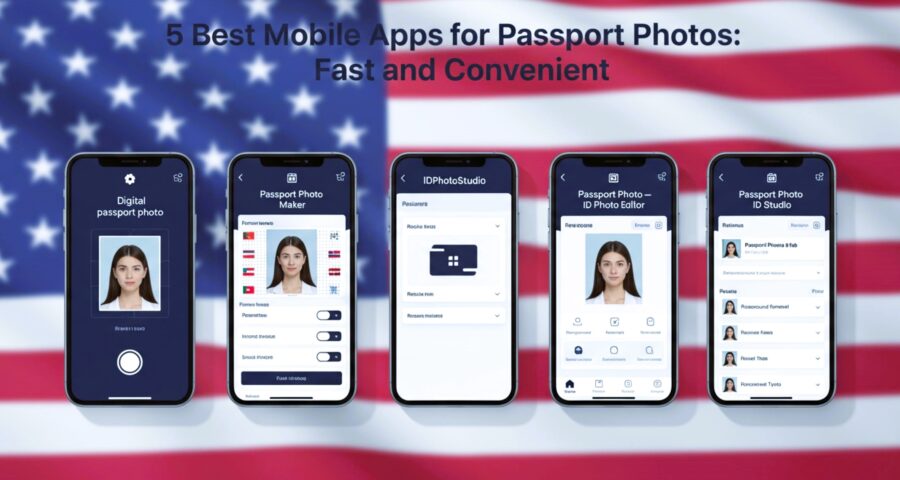
When it comes to getting your digital passport photo done, the process can be surprisingly tedious. Long queues at photo studios, expensive fees, and the frustration of retakes can make anyone cringe. But here’s the good news: your smartphone can now become a mini passport photo studio. Yep, there are apps specifically designed to snap, edit, and format passport photos in minutes. In this article, we’ll dive deep into the 5 best mobile apps for passport photos that make the process fast, convenient, and budget-friendly.
Why Mobile Apps Are Changing Passport Photos Forever
Remember when getting a passport photo meant rushing to a photo studio, standing in line, and hoping the lighting wasn’t terrible? Mobile apps have completely flipped that process. Now, your smartphone can do what used to require expensive equipment, professional photographers, and a lot of patience. With just a few taps, you can capture a high-quality digital passport photo that meets government standards. This shift is more than just convenience—it’s a revolution in personal control over how you manage official documents. You no longer have to schedule appointments or worry about studios closing early; everything is in your hands, anytime and anywhere.
The biggest game-changer is the automation these apps provide. Gone are the days of guessing the correct dimensions or worrying if your background color is right. Most apps automatically format your digital passport photo to match the strict requirements of your country, whether it’s a standard 2×2 inch photo for the U.S., a 35x45mm photo for Europe, or other regional specifications. Even lighting corrections, contrast adjustments, and background removal are often handled by the app’s AI, making it nearly impossible to get a non-compliant photo. This technology ensures you save time, avoid repeated trips, and reduce the risk of rejection when submitting official documents.
Another major benefit is flexibility. You can take your digital passport photo at home, in your office, or even while traveling. All you need is a plain wall, some natural light, and your phone’s camera. Some apps even allow you to retake photos multiple times, preview them instantly, and compare results side by side. This level of control is invaluable, especially for parents taking passport photos of young children, travelers who are short on time, or anyone who simply prefers to avoid the hassle of a studio. Plus, you can share your final photo digitally or print it in the comfort of your own home.
Finally, the cost savings and accessibility cannot be overstated. Traditional passport photos often cost anywhere from $10 to $20 per set, not including travel time and potential retakes. Mobile apps drastically reduce this expense, sometimes offering free or very affordable options to create professional digital passport photos. Moreover, these apps are inclusive—they often support multiple countries, languages, and ID types, making them a versatile tool for global citizens. Essentially, mobile apps have democratized passport photography, turning what was once a stressful, expensive, and time-consuming task into a simple, empowering, and even enjoyable experience.
What Makes a Great Passport Photo App?
Not all passport photo apps are created equal, and choosing the right one can make a huge difference in convenience, quality, and compliance. Here’s a detailed look at the features and qualities you should look for when selecting a mobile app for digital passport photos:
- Government compliance: The most important factor is whether the app produces photos that meet official government standards. Every country has specific rules regarding photo size, background color, head position, and facial expression. A great app automatically formats your digital passport photo to meet these standards, reducing the risk of rejection and eliminating the need for trial and error.
- Easy editing tools: Even with a good camera, lighting and background issues can ruin a photo. Top apps offer user-friendly editing tools that allow you to adjust brightness, contrast, sharpness, and background color with just a few taps. Some apps even have automatic corrections, like removing shadows or smoothing uneven lighting, so your photo looks professional without any expert skills.
- Instant previews: Before committing to printing or submitting your digital passport photo, it’s crucial to see how it will appear in official format. High-quality apps provide real-time previews, letting you check alignment, size, and overall appearance. This helps you spot mistakes early, whether it’s a stray hair, slight tilt, or lighting issue, and retake the photo immediately if needed.
- Multiple export options: Flexibility is key. The best apps allow you to save your digital passport photo in various formats such as JPG, PNG, or PDF. You can store it digitally for online applications, email it, or send it to a printer for physical copies. Some apps also provide direct links to printing services or let you order prints online, making it a truly end-to-end solution.
- User-friendly interface: Not everyone is tech-savvy, and a complicated app can turn a simple task into a headache. Great passport photo apps are intuitive, guiding users step by step from taking the photo to exporting it. Clear instructions, visual guides, and helpful prompts ensure even first-time users feel confident producing professional-quality digital passport photos.
Top Features to Look For
| Feature | Why It Matters | How It Works | Benefits | Tips for Use |
| Auto background removal | Eliminates distractions and ensures compliance with passport photo standards | The app automatically detects the subject and removes the existing background, replacing it with a plain white, gray, or approved color | Produces a professional, compliant digital passport photo without needing a studio backdrop | Make sure your background contrasts with your clothing and hair for best results |
| ID templates | Ensures correct dimensions for different countries and document types | Pre-set templates for passports, visas, and ID cards automatically resize your photo according to government specifications | Saves time and avoids mistakes with official photo dimensions | Always select the correct country or ID type to prevent submission errors |
| Photo retake | Prevents wasted time and money on non-compliant photos | Lets you retake your photo instantly if it fails alignment, lighting, or background standards | Reduces frustration from rejected submissions | Use the app’s alignment guides to correct head position before finalizing |
| Print & share options | Convenience for online submission or physical printing | Allows export to multiple formats (JPG, PNG, PDF), sharing via email, cloud storage, or printing services | Flexibility for digital submission or physical copies | Check resolution settings to ensure high-quality prints |
| Multi-language support | Handy for international travelers or non-native speakers | Interfaces and instructions available in several languages | Makes the app accessible for users worldwide | Switch to your preferred language in settings for clear guidance |
| Brightness & color adjustment | Ensures photo meets lighting and exposure standards | Adjusts brightness, contrast, and saturation automatically or manually | Helps produce a compliant digital passport photo even in suboptimal lighting | Avoid extreme filters that alter natural skin tones |
| Facial alignment guides | Keeps head and eyes positioned correctly | AI detects your face and overlays guidelines to align your head, eyes, and shoulders | Minimizes rejection due to improper positioning | Follow the on-screen guides closely before capturing the final photo |
| Batch photo creation | Saves time when multiple photos are needed | Allows taking or editing multiple photos in one session | Ideal for families or group submissions | Review each photo individually to ensure all meet standards |
Passport Photo Maker – Quick and Professional
Passport Photo Maker has earned its place as one of the most popular apps for creating digital passport photos. What makes it stand out is the combination of simplicity and powerful features. Even if you’ve never edited a photo before, the app’s intuitive interface guides you through every step. From taking the initial photo to adjusting the background and cropping to government-approved dimensions, the workflow is straightforward. You don’t need to be a tech expert to produce a high-quality, compliant passport photo in minutes.
One of the app’s biggest strengths is its library of pre-set templates for multiple countries. This means whether you need a U.S. passport, a European visa, or an ID for another region, the app automatically resizes and formats your photo according to the required specifications. This eliminates guesswork and the frustration of submitting a photo that doesn’t meet official standards. With just a few taps, your digital passport photo can be perfectly aligned, correctly sized, and ready for submission.
Another standout feature is the automatic background adjustment. The app can instantly replace any background with a plain white or light gray backdrop, which is what most passport authorities require. This removes the need for expensive studio setups or makeshift backgrounds at home. Additionally, you can tweak lighting, contrast, and color balance to ensure your face is clear, evenly lit, and free from shadows—key factors for photo acceptance.
While the free version of Passport Photo Maker does add a watermark and some advanced editing features require a subscription, the convenience and speed make it well worth trying. Think of it as having a mini photo studio right in your pocket. Whether you’re traveling last minute or simply want to avoid studio lines, this app turns a once stressful process into a quick, simple, and professional experience. It’s a practical tool for anyone needing digital passport photos without compromise on quality or compliance.
IDPhotoStudio – Simplicity at Its Best
IDPhotoStudio is designed for users who want a no-frills, straightforward solution for creating digital passport photos. It may lack flashy features, but it excels at doing the one thing that matters: producing accurate, compliant photos quickly. Here’s a detailed breakdown of what makes this app a solid choice:
- Completely free to use – Unlike many other apps that limit free functionality or charge for essential features, IDPhotoStudio allows you to create passport photos without spending a penny. This is perfect for travelers on a budget or anyone who only needs occasional photos.
- Supports multiple photo sizes and formats – Whether you need a standard 2×2 inch photo, a 35x45mm visa photo, or a specific ID size for another country, the app has built-in templates. You can also export your photo in different formats like JPG, PNG, or PDF, giving flexibility for both digital submission and printing.
- Quick editing tools – The app provides simple, intuitive tools to adjust brightness, contrast, and crop your photo. Even if you’re new to photo editing, you can quickly make adjustments to produce a clear and compliant digital passport photo.
- Minimal design for fast workflow – While some might see the basic interface as a downside, the simplicity actually speeds up the photo creation process. There’s no clutter or confusing menus, which means you can take, edit, and export your photo in just a few minutes.
- Accurate compliance with official standards – IDPhotoStudio ensures your photos meet government regulations for size, background, and alignment. You don’t have to worry about rejected submissions due to technical errors.
- Batch printing feature – A standout feature of IDPhotoStudio is the ability to create multiple copies of a photo at once. This is especially handy for families applying for passports together or for people who need several copies for different documents.
- Lightweight and fast performance – The app is small in size and runs smoothly on older devices, making it accessible for almost any smartphone or tablet.
- No advanced retouching – While it lacks features like red-eye removal or detailed facial retouching, this keeps the focus on accuracy rather than unnecessary embellishments. The result is a professional, compliant digital passport photo without distractions.
Passport Photo – ID Photo Editor
| Feature | Why It Matters | How It Works | Benefits | Tips for Use |
| Automatic photo cropping and resizing | Ensures your digital passport photo meets government size requirements | The app detects your face and automatically crops the image to the correct dimensions for passports or IDs | Saves time, eliminates guesswork, and prevents photo rejection | Always preview the crop to make sure the head is centered and properly sized |
| Background editor with multiple color options | Meets official background requirements for different countries | Lets you change your photo background to white, light gray, or other approved colors | Produces compliant photos without a studio backdrop | Choose a background that contrasts with your clothing and hair for clear visibility |
| Direct submission for online applications | Convenient for travelers applying for visas or online passports | Some apps allow you to submit the photo directly from your device to government portals | Speeds up application processing and eliminates printing | Confirm the app supports your country’s online submission requirements before submitting |
| AI face detection | Ensures correct alignment and positioning | AI identifies facial features like eyes, nose, and shoulders to guide positioning | Reduces errors and ensures your photo is accepted by authorities | Stand straight, keep eyes open, and maintain a neutral expression |
| Multi-format export | Provides flexibility for printing or online use | Export your digital passport photo as JPG, PNG, or PDF | Makes it easy to store digitally, print at home, or send via email | Select the format that best fits your application requirements |
| Quick editing tools | Adjusts brightness, contrast, and sharpness for a professional look | Simple sliders or automatic adjustments improve lighting and color | Enhances clarity and ensures facial features are visible | Avoid extreme edits that change natural skin tones |
| Preview tool | Lets you see exactly how your photo will appear in official format | Shows the final cropped, aligned, and background-adjusted image | Reduces mistakes and the need for retakes | Always use the preview before saving or printing |
Passport Photo ID Studio
For travelers or professionals who want high-quality results without hiring a photographer, Passport Photo ID Studio is a fantastic option. This app offers a range of advanced tools that turn your smartphone into a mini photo lab. From background editing to precise resizing, it allows you to create professional-grade digital passport photos that meet international standards. Whether you’re applying for a passport, visa, or ID card, the app gives you full control over every aspect of the photo creation process.
One of the standout features is advanced background editing. The app can remove any unwanted elements, replace them with a plain white or light-colored backdrop, and even allow you to tweak the background for optimal contrast. This ensures your photo complies with strict passport or visa regulations while still looking polished. Combined with face alignment guides, this feature makes it easy to position your head and shoulders perfectly, avoiding common mistakes that often lead to photo rejection.
Another major benefit is support for multiple countries and ID types. Whether you need a U.S. passport photo, a European visa, or an ID for another region, Passport Photo ID Studio offers pre-set templates and automatic resizing to match official requirements. High-resolution export ensures that your digital passport photo retains maximum clarity, which is especially important if you need to print multiple copies or submit it for online applications. The app’s tools for brightness, contrast, and color correction further enhance the professional quality of the image.
While some features require a subscription—such as high-resolution exports—the investment is worthwhile for users who need repeated or high-quality passport photos. Beginners may experience a slight learning curve, but the interface is logically designed, with intuitive editing tools like auto color correction, red-eye removal, and brightness adjustment. In essence, Passport Photo ID Studio provides everything you need to take a perfect digital passport photo at home, saving time, money, and the hassle of visiting a professional studio.
Leave a Reply